Free DNS Lookup Tools Compared
Compare free DNS lookup tools including My IP Help, MXToolbox, and DNSChecker on record types, speed, and additional features.
Chapters
Chapters
DNS lookups are one of the most frequently used network diagnostic operations, essential for troubleshooting connectivity issues, verifying server configurations, and investigating domain infrastructure. Multiple free DNS lookup tools exist online, each offering different features, supported record types, and levels of detail. This comparison evaluates the leading free DNS lookup tools across the web to help you find the right one for your DNS diagnostic needs, whether you are a system administrator, a developer, or a security researcher investigating domain configurations.
Overview: What Do DNS Lookup Tools Do?
A DNS lookup tool queries the Domain Name System to retrieve records associated with a domain name. Different record types serve different purposes: A records point to IPv4 addresses, AAAA records point to IPv6, MX records handle email routing, TXT records store verification data and policies like SPF, CNAME records create aliases, and NS records identify authoritative nameservers. Free DNS lookup tools let you query these records without installing command-line utilities like dig or nslookup, making DNS troubleshooting accessible from any browser. The DNS protocol is defined in RFC 1035, which established the query-response mechanism these tools use under the hood.
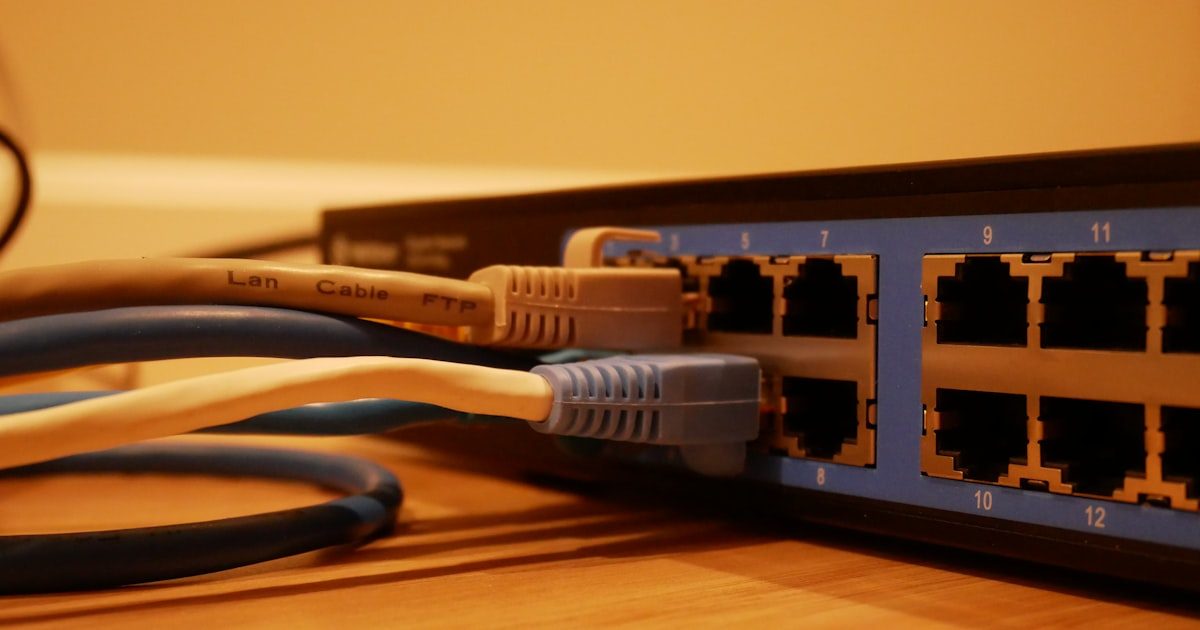
The tools compared here include My IP Help DNS Lookup, Google’s Dig Tool (via Google Admin Toolbox), MXToolbox DNS Lookup, DNSChecker.org, NsLookup.io, and Cloudflare’s 1.1.1.1 DNS checker. Each tool has different strengths depending on whether you need basic record queries, global propagation checking, or integration with broader network diagnostics.
Feature Comparison
| Feature | My IP Help | Google Dig | MXToolbox | DNSChecker | NsLookup.io |
|---|---|---|---|---|---|
| Record Types | A, AAAA, MX, CNAME, TXT, NS, SOA, PTR | All standard types | All types + email focus | All common types | All standard types |
| Global Propagation | Authoritative query | Single resolver | Single resolver | 20+ global servers | Multiple servers |
| Reverse DNS | Yes (PTR records) | Yes | Yes | Yes | Yes |
| Custom Nameserver | No | Yes | No | No | Yes |
| DNSSEC Validation | No | Yes | No | No | Yes |
| Email Diagnostics | MX records | No | SPF, DKIM, DMARC | Basic MX | MX records |
| IP Geolocation | Full lookup with threat data | No | Basic | Basic | No |
| Additional Network Tools | 20+ tools | Limited toolbox | Email-focused tools | DNS-focused tools | DNS-focused |
| API Access | REST API available | No | Paid API | No | API available |
| Ads | Minimal | None | Some | Some | Minimal |
Key Differences
Integration with Broader Diagnostics
My IP Help stands out by placing DNS lookup within an ecosystem of over 20 network tools. After resolving a domain, you can immediately look up the resulting IP address for geolocation and threat intelligence, check WHOIS registration, scan for open ports, or run a traceroute, all without leaving the platform. This workflow is valuable for security investigations where DNS resolution is just the first step. Google’s Dig Tool is part of a smaller admin toolbox. MXToolbox integrates DNS with email-specific diagnostics. DNSChecker and NsLookup.io focus specifically on DNS without broader network tools. The choice depends on whether you need DNS in isolation or as part of a larger diagnostic workflow.
Propagation Checking vs. Authoritative Queries
DNSChecker.org and NsLookup.io query multiple DNS servers worldwide to show propagation status. This is ideal after making DNS changes when you want to verify global updates. My IP Help, Google Dig, and MXToolbox query single resolvers or authoritative nameservers, returning the “correct” answer quickly without showing propagation status across regions. For troubleshooting “Why isn’t my DNS change working yet?” the propagation tools are more helpful. For “What are the current authoritative records?” the single-query tools are faster and more direct. ICANN’s DNSSEC resources explain how DNS security extensions protect the integrity of these queries regardless of which tool performs them.
Advanced DNS Features
Google’s Dig Tool and NsLookup.io offer advanced features that DNS professionals appreciate: custom nameserver selection (query a specific DNS resolver instead of the default), DNSSEC validation checking, and detailed response headers. These features are useful for debugging DNS configurations at a protocol level. My IP Help, MXToolbox, and DNSChecker focus on practical results over protocol-level detail, which serves the majority of users better. If you regularly need to verify DNSSEC chains or test how specific resolvers respond to your queries, Google Dig and NsLookup.io are more suitable. For everyday DNS lookups and follow-up investigations, My IP Help’s integrated approach provides more practical value by connecting DNS results to IP intelligence and network diagnostics.
Access and pricing models are straightforward across these tools. All are free for web-based lookups, making cost a non-factor for casual use. The differences emerge with API access and advanced features. My IP Help offers a documented REST API with a free tier for developers. MXToolbox charges for API access and monitoring features. Google Dig and DNSChecker do not offer APIs. NsLookup.io has an API for programmatic DNS queries. For teams that need to integrate DNS lookups into automated workflows, monitoring scripts, or security platforms, API availability is a key differentiator that narrows the practical options.
When to Use Each Tool
Choose My IP Help DNS Lookup when:
- You need DNS lookup alongside IP geolocation, threat detection, and network tools
- Your workflow involves investigating the IP addresses returned by DNS queries
- You want one platform for DNS, WHOIS, port scanning, and other diagnostics
- You need API access for programmatic lookups
Choose DNSChecker.org when:
- You need to verify DNS propagation across global locations after making changes
- You want a visual map of where DNS changes have taken effect
- You are monitoring whether a DNS migration is complete worldwide
Choose Google Dig Tool when:
- You need to query a specific nameserver or validate DNSSEC
- You want a clean, ad-free interface from a trusted provider
- You are debugging protocol-level DNS issues
Choose MXToolbox when:
- Email deliverability is your primary concern and you need SPF/DKIM/DMARC checking
- You want DNS lookup integrated with blacklist monitoring
Choose NsLookup.io when:
- You need multi-server queries with DNSSEC validation and custom nameserver options
- You want a focused, developer-friendly DNS interface

Frequently Asked Questions
Which DNS lookup tool is the most accurate?
All reputable DNS tools query the same DNS infrastructure, so the records they return are equally accurate. Differences arise in which resolver they query (recursive vs. authoritative), how many global locations they check, and what additional context they provide. For authoritative answers, any single-resolver tool works. For propagation verification, multi-server tools are more informative.
Can My IP Help check DNS propagation globally?
My IP Help’s DNS lookup queries authoritative nameservers for accurate current records but does not check propagation across multiple global resolvers. For verifying worldwide propagation after DNS changes, DNSChecker.org’s multi-location checking is more appropriate.
Do I need to install anything to use these tools?
No. All tools in this comparison are web-based and work in any modern browser without installation. They replace the need for command-line tools like dig or nslookup for basic DNS queries, though command-line tools offer more options for advanced users.
Which tool is best for checking email DNS records?
MXToolbox is specifically designed for email-related DNS checking, including MX records, SPF, DKIM, and DMARC validation. My IP Help and the other tools can look up MX records, but MXToolbox provides deeper email diagnostic context including SMTP testing and deliverability analysis.
Are any of these tools free?
All tools in this comparison offer free web-based DNS lookups. My IP Help, DNSChecker.org, Google Dig, and NsLookup.io are completely free for web use. MXToolbox offers free lookups with paid plans for monitoring and API access. My IP Help additionally provides a free API tier.
Can I use DNS lookup tools for security investigation?
Yes. DNS lookups reveal what servers a domain points to, which nameservers control it, and what email infrastructure it uses. My IP Help adds unique value here because after resolving a domain, you can immediately look up the IP address for threat intelligence, VPN detection, and geolocation data.
What does DNSSEC validation mean?
DNSSEC (DNS Security Extensions) cryptographically signs DNS records to prevent tampering. Tools that support DNSSEC validation (Google Dig, NsLookup.io) can verify whether a domain’s DNS responses are authenticated. This is important for security-sensitive applications.
Which tool should network administrators use daily?
For daily use, choose based on your typical workflow. If you frequently investigate IPs after DNS lookups, My IP Help’s integrated toolkit saves time. If you manage email servers, MXToolbox is purpose-built for that. For general DNS administration, any tool works for quick queries.
Can these tools look up reverse DNS (PTR records)?
Yes. All tools in this comparison support PTR record lookups (reverse DNS), which resolve an IP address back to a hostname. This is useful for verifying server identity, checking email server configuration, and investigating unknown IP addresses.
How do I know which DNS record type to query?
Use A/AAAA for web server addresses, MX for email routing, TXT for SPF/DKIM/domain verification, CNAME for aliases, NS for nameserver delegation, and SOA for zone authority information. Most DNS lookup tools default to A records, which is the most common query type.
Try It Yourself
Run a DNS lookup on My IP Help and see how integrated diagnostics enhance your workflow. Use our DNS lookup tool to query any record type, then follow up with an IP lookup for geolocation and threat data. Explore WHOIS lookups, port scanning, and all 20+ free network tools in one platform.
Create your free account
Get access to IP lookup tools, bulk reports, and more. Free forever.